
APAAR ID Card
APAAR ID Card PVC Printing Software (DigiLocker)
Print the APAAR ID (student academic account) PDF from DigiLocker on a PVC card — ready "Apaar-Digilocker" format in Scan & Print that arranges the whole card for you, front and back.
What you get
- Ready "Apaar-Digilocker" format in Scan & Print — found automatically with Auto format
- The wide DigiLocker strip is arranged into a full-size card, text kept sharp
- Photo and QR code kept clear
- Back side added automatically
- No cropping by hand
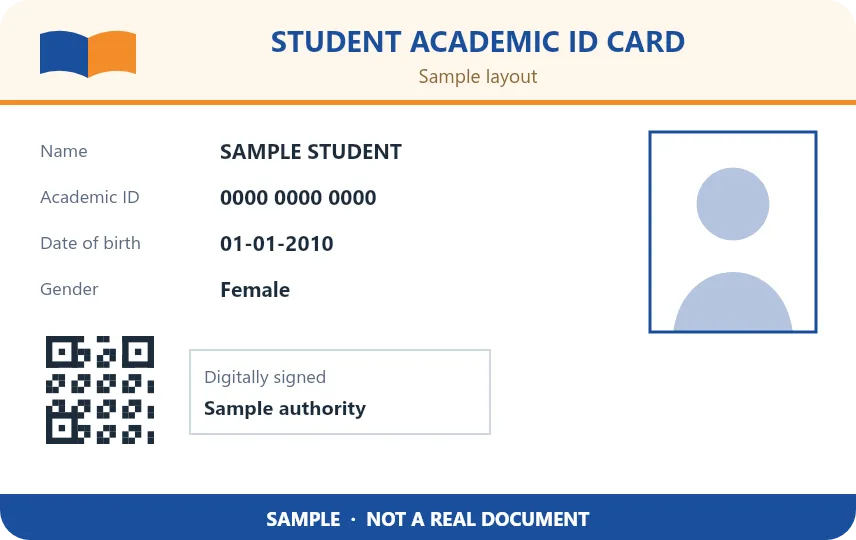
Sample designs for illustration.
APAAR ID Card printing — FAQ
Which APAAR PDF does the software print?
The APAAR ID PDF downloaded from DigiLocker. Open it in Scan & Print — with Auto format the software recognises it and prepares the card.
Do I have to crop the APAAR card myself?
No. The DigiLocker PDF has a wide strip that would leave half the card empty; the software arranges its parts into a full PVC card for you.
Is the student's data uploaded anywhere?
No. The PDF is opened and printed on your own computer.
Start printing perfect PVC cards today
Download the free 1-day demo, or buy a plan and get your license key instantly.