
3 Months
₹499
₹166 / month
Buy 3 MonthsNew software
Design mugs, magic mugs, bottles, t-shirts, cushions, phone cases, keychains, frames, clocks and more at their real size, see them in 3D, and print mirrored transfers packed on A4 / A3 — in one Windows software.
Windows 10 / 11 (64-bit). One free 1-day trial per computer; trial prints carry a small “Print Perfect Trial” mark.
Separate software with its own license key. It works alongside Print Perfect Ai on the same computer.
Products
Ready sizes for the common blanks — and any size, phone model or supplier blank you save yourself.
Pricing
Pay online and get the license key on the screen immediately. Prices include all taxes.
₹499
₹166 / month
Buy 3 Months₹799
₹133 / month
Buy 6 Months₹1,299 ₹1,999
Most popular — ₹108 / month
Buy 1 YearRenewing? Choose a plan and select “Renew my existing key” — the time is added to your Sublimation key.
Features
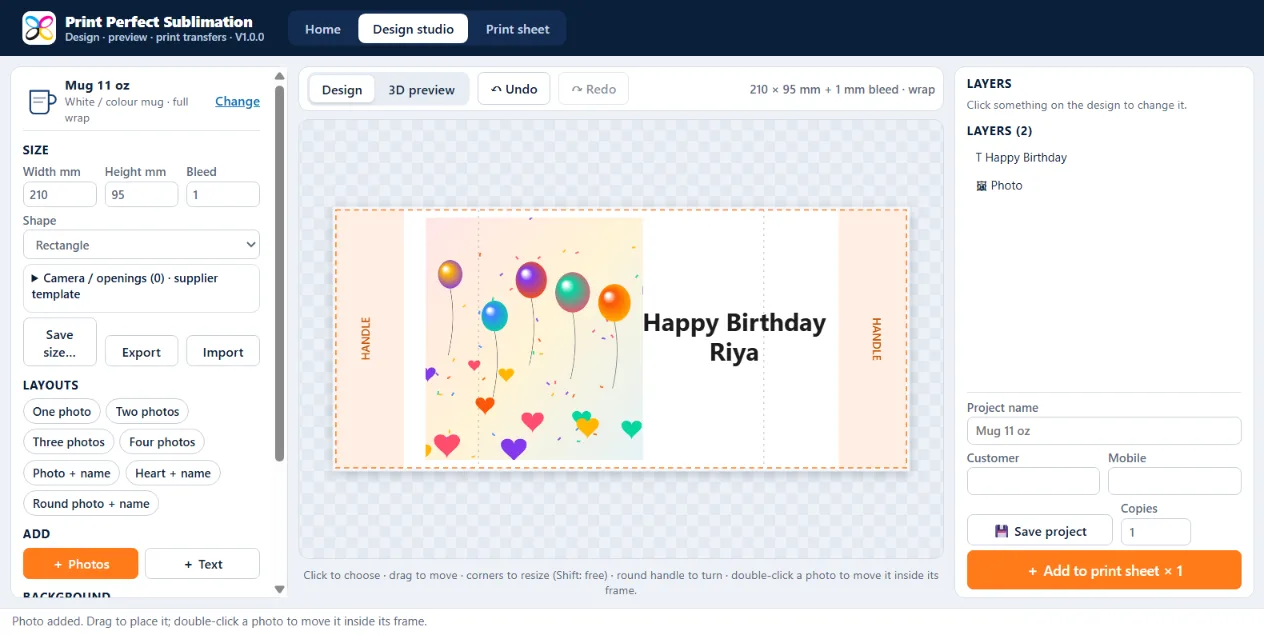
One, two, three or four photos, photo + name, heart and round frames — the frames fit the product. On a mug the photos stay clear of the handle.
Turn the mug, magic mug, bottle or pen in 3D, and see t-shirts, cushions, phone cases, frames and clocks before you print. Save the picture and send it to the customer on WhatsApp.
Remove the background of a person's photo with one click and get the face centred in every frame — it runs on your PC, photos are never uploaded.
Names, wishes and dates in any Windows font, Hindi included, with colour, outline and shadow. Clock numbers for wall clocks.
Change any size and save it — every phone model with its camera opening, every supplier's blank. Lay the supplier's template over the design. Share the size list with other shops.
Prints at the real size in mm with bleed, mirrored for transfer paper, with cut marks — on any Windows printer, A4, A3, A3+ or a custom paper.
Mugs, keychains and coasters of different customers are packed together on one A4 / A3, turned when more fit. Save the sheet as PDF or JPG too.
Every design is saved with the customer's name and mobile and opens again exactly as it was. Press temperature and time are shown for every product.
Screens
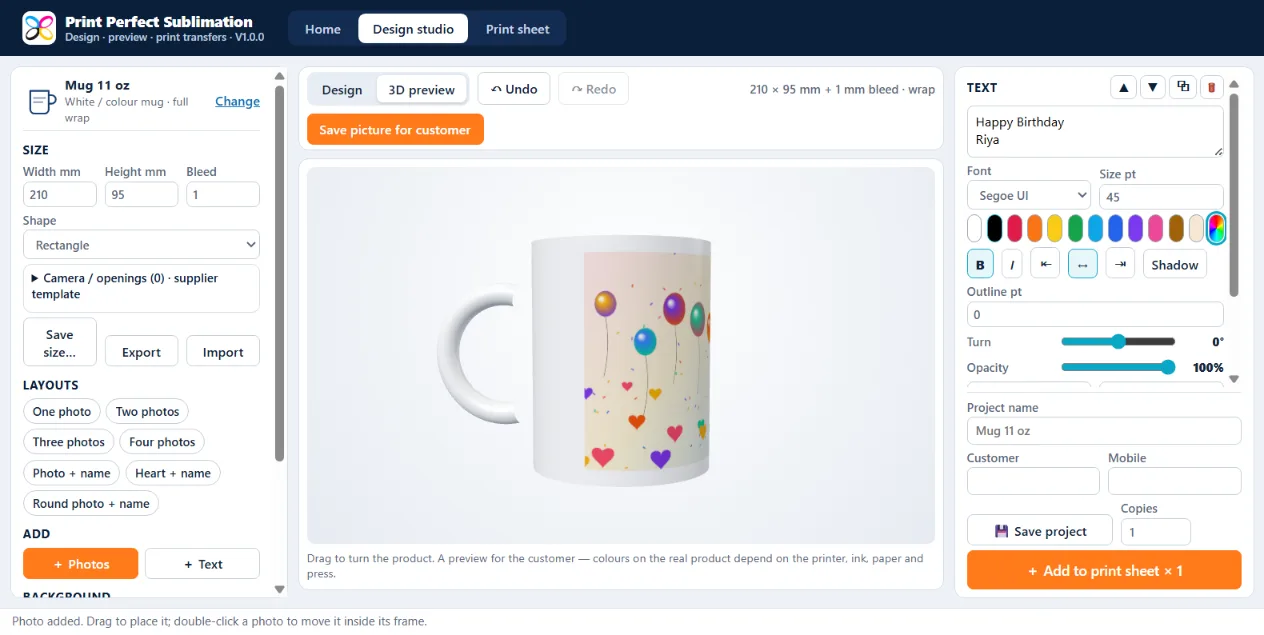
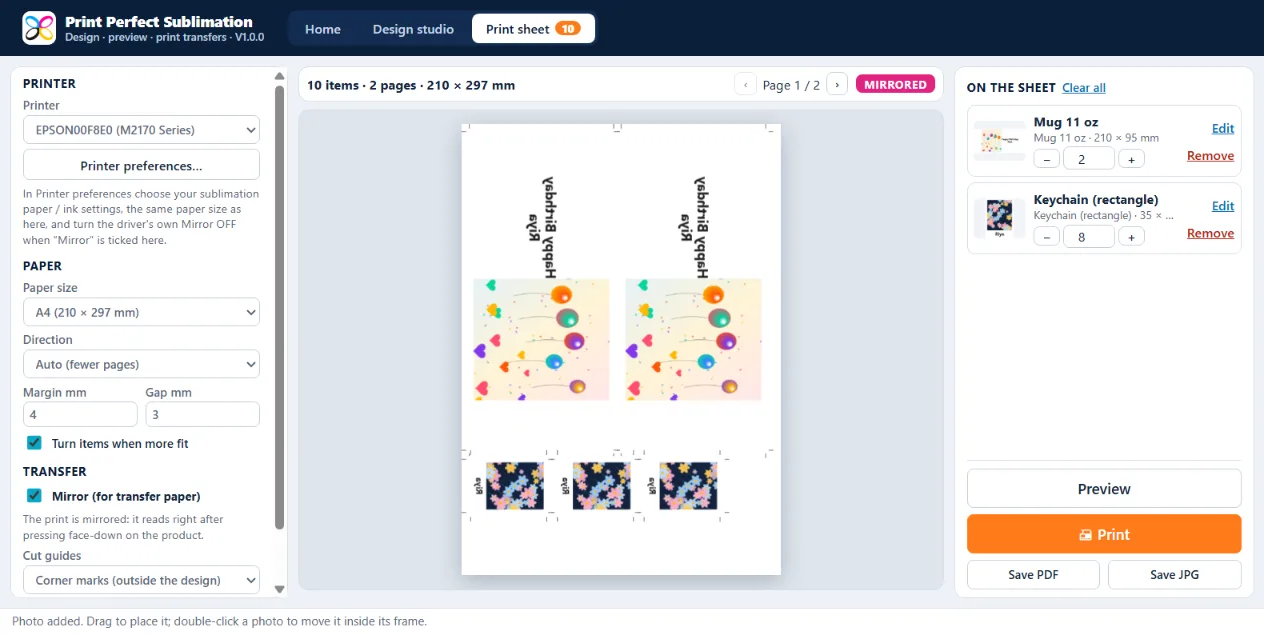
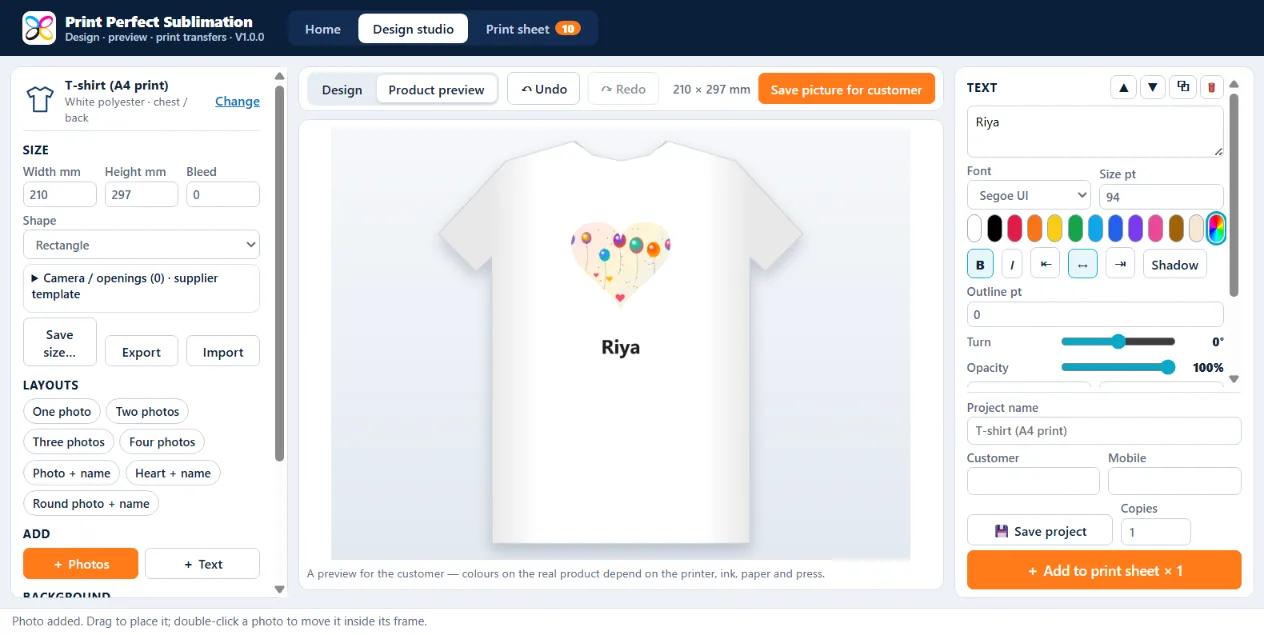
A Windows software for gift shops, photo studios and printing shops that make sublimation products: design mugs, bottles, t-shirts, cushions, phone cases, keychains, frames, clocks and more at their real size, show the customer a 3D / product preview, and print mirrored transfers packed on A4 or A3.
No. Print Perfect Sublimation is a separate software with its own license key and its own plans. A key of the other software does not open it, and its key does not open them. You can use all of them on the same computer.
Yes — one free 1-day trial per computer. Trial prints carry a small “Print Perfect Trial” mark. Buy a plan to remove it.
Any sublimation printer installed in Windows — Epson L-series / EcoTank with sublimation ink, L1800, Epson F-series, Sawgrass and others. Use your sublimation paper and ink settings in the printer preferences; the software prints at the real size, mirrored.
Every size can be changed in the software and saved with a name, with the camera opening and the supplier's template picture. Blanks differ between suppliers, so measure your blank once (or use the supplier's template) and the software remembers it.
Only to activate the key and for updates. Designing, background removal, preview and printing work on your PC, so customer photos are not uploaded anywhere.
The license key appears on the screen immediately after payment. Open the software, click License, enter the key with the same mobile number and click Activate.