
Free demo
Download Print Perfect Ai — free 1-day demo
Full software with every card module. Demo prints carry a small “Print Perfect Trial” watermark. The Passport Photo and Sublimation software and our CSC Daily Book Android app are on this page too.
Always the latest version. Windows 10 / 11, 64-bit.
Install in 4 steps
- Run the downloaded setup and finish the installation.
- Open Print Perfect Ai from the desktop shortcut.
- In the License window choose Free trial and enter your name, mobile, city and state.
- Open any e-Aadhaar, PAN or card PDF and print. When you are ready, buy a plan and enter your key.
Windows may show “Windows protected your PC” for new software — click More info → Run anyway. One free demo is allowed per computer.
System requirements
- Windows 10 or 11 (64-bit)
- 4 GB RAM, 500 MB free space
- Internet for activation and updates
- Any supported printer
Second software
Print Perfect Passport Photo — free 1-day trial
Open one photo, pick the size and print a full sheet of passport size photos in seconds — with automatic face crop, background colour change and a name / date line under every photo.
Always the latest version. Windows 10 / 11, 64-bit. Separate software with its own license key; it installs beside Print Perfect Ai.
Install in 4 steps
- Run the downloaded setup and finish the installation.
- Open Print Perfect Passport Photo from the desktop shortcut.
- In the License window choose Free trial and enter your name, mobile, city and state.
- Open a photo, choose the size and print. When you are ready, buy a plan and enter your key.
One free trial per computer; trial photos carry a small “Print Perfect Trial” mark.
What it does
- Automatic face crop
- Background colour change
- Every common size
- As many photos as you need
- Name and date under the photo
- Brightness and colour
Third software
Print Perfect Sublimation — free 1-day trial
Design mugs, magic mugs, bottles, t-shirts, cushions, phone cases, keychains, frames, clocks and more at their real size, see them in 3D, and print mirrored transfers packed on A4 / A3 — in one Windows software.
Always the latest version. Windows 10 / 11, 64-bit. Separate software with its own license key; it installs beside Print Perfect Ai.
Install in 4 steps
- Run the downloaded setup and finish the installation.
- Open Print Perfect Sublimation from the desktop shortcut.
- In the License window choose Free trial and enter your name, mobile, city and state.
- Choose a product, make the design and print. When you are ready, buy a plan and enter your key.
One free trial per computer; trial prints carry a small “Print Perfect Trial” mark.
What it does
- Ready layouts for every product
- 3D and product preview
- Background removal and face centring
- Text in Hindi and English
- Your own sizes and phone models
- Mirrored, real-size transfers
Our Android app
CSC Daily Book: VLE Khata
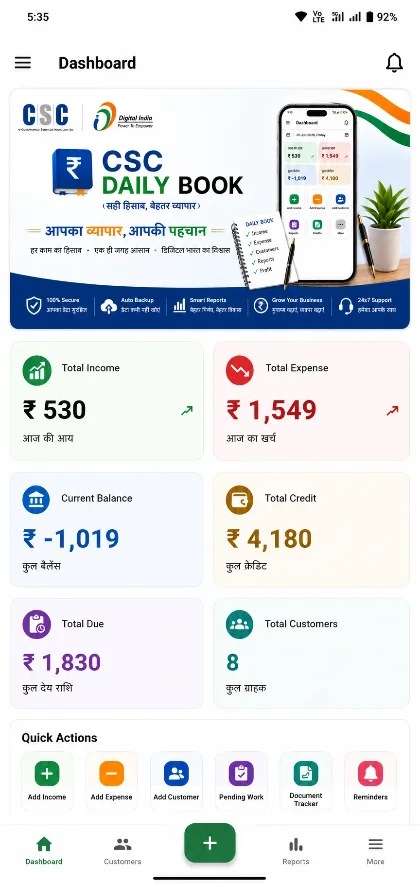
Digital bahi khata for CSC VLEs and shop owners — daily income & expenses, customer udhaar ledger, business dashboard and reports. Works offline and syncs automatically.
- Digital bahi khata for CSC VLEs
- Daily income & expense tracker
- Customer udhaar ledger & reports
- Works offline, syncs automatically

Start printing perfect PVC cards today
Download the free 1-day demo, or buy a plan and get your license key instantly.